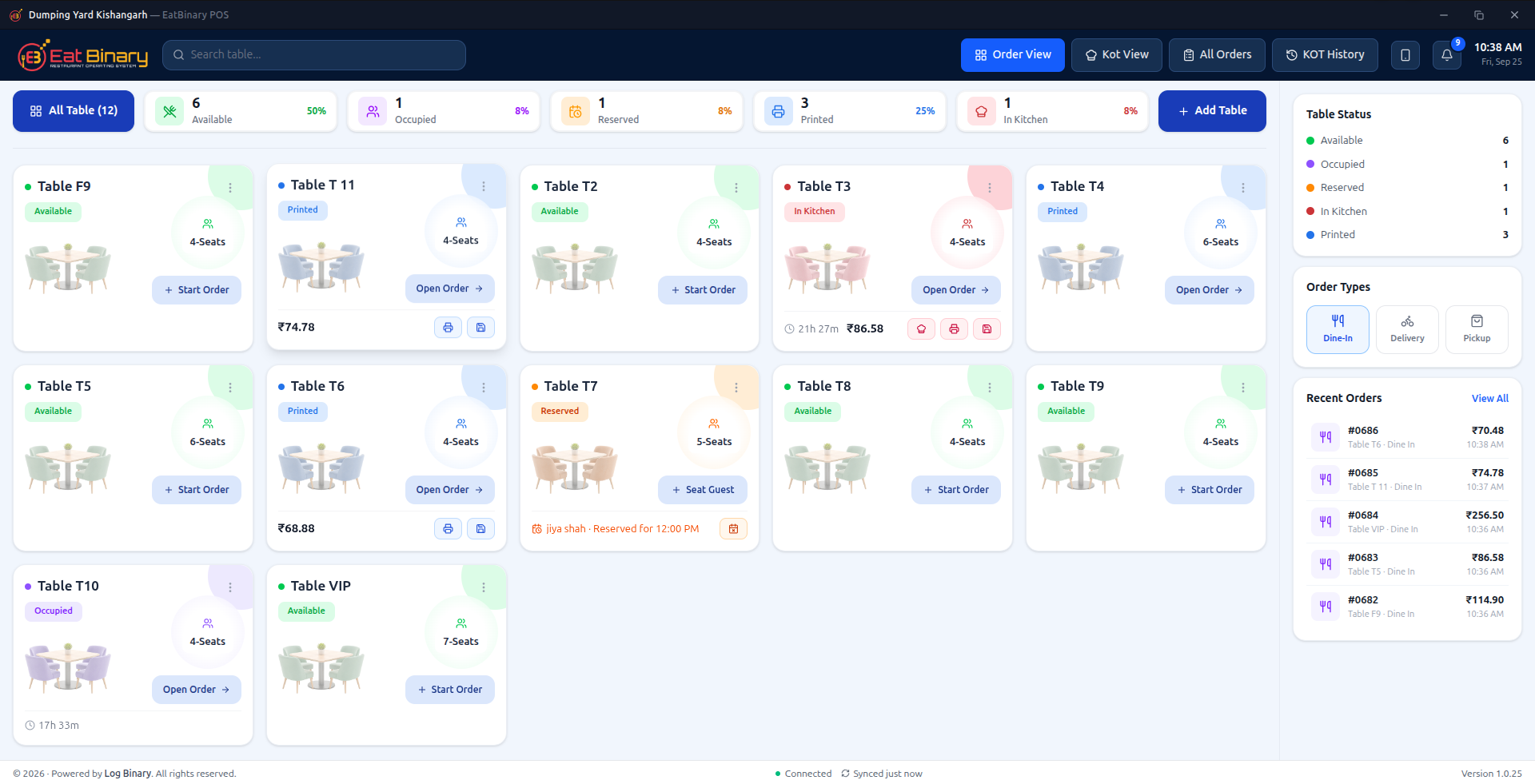
A counter POS built for a dinner rush, not a demo
Table-side ordering, live floor status, and checkout in one flow — the same speed whether it’s a quiet Tuesday or a full house on Friday night.
Track dine-in, delivery, and pickup in real time.
Every update comes straight from Admin.
Keeps taking orders even when the internet drops.
Built for how restaurants actually run
Offline-first POS
Keeps taking orders through a connectivity drop, syncs the moment you’re back online
Real-time menu sync
Update a price once in Admin — it updates on POS, kiosk, online, and TV instantly
Zero-touch terminal setup
Plug in a POS, assign it from Admin, it connects — no device IDs to type
Role-based staff access
Employees and permissions managed per restaurant, down to the register
Most restaurants run on patchwork software
Separate tools for POS, online ordering, and menu boards mean someone is always updating the same item three times — and eventually, someone forgets.
BeforeWithout Eat Binary
- ✕A separate POS, online ordering app, and menu board — each with its own copy of the menu
- ✕Prices update on the counter but not the website (or vice versa)
- ✕"86" an item and still get orders for it online
- ✕A tech visit every time a new terminal needs to be set up
AfterWith Eat Binary
- ✓One admin panel controls menu, pricing, and taxes for every channel
- ✓Change a price once — POS, kiosk, online, and TV boards update instantly
- ✓Mark an item sold out and it disappears everywhere at once
- ✓Plug in a new POS terminal and assign it in one click
Five channels. One menu behind all of them.
Every surface reads from the same restaurant data — so what you set once in Admin is what customers and staff see everywhere, instantly.
POS
Fast counter ordering, even offline
- Table management for dine-in
- Cash, card, and UPI payments
- Keeps taking orders through a connectivity drop, syncs when back online
- Digital receipts
Admin Dashboard
The control center for your whole restaurant
- Menu, modifiers, and dietary tags
- Multi-tax rules and smart pricing
- Employees with role-based permissions
- Daily, weekly, and sales-summary reports
Online Ordering
Your own branded ordering site
- No per-order marketplace commission
- Promotions, BOGO deals, and gift cards
- Loyalty points redemption
- Pickup, delivery, and scheduled orders
Self-Service Kiosk
Shorter lines without adding staff
- Same menu and pricing as the counter
- Upsell and recommended items built in
- Custom kiosk branding
TV Menu Boards
Digital menus that update themselves
- Reflects Admin price changes instantly
- No re-printing or re-designing boards
- Manage from the same panel as everything else
A new terminal is live in three clicks, not a service call
Plug it in
A new POS terminal self-provisions the moment it powers on — nothing to configure.
Assign it
The owner picks it from "Unassigned Terminals" in Admin and links it to a restaurant.
It's live
The terminal connects automatically and is ready to take orders. No IT visit.
Feature coverage across the whole platform
Payments
- Cash & card in-store
- UPI QR payments
- Online checkout
- Gift cards
Marketing & Retention
- Promotions & BOGO deals
- Gift cards
- Loyalty / rewards points
Menu & Pricing
- Categories & modifiers
- Veg / non-veg & dietary tags
- Smart pricing
- Multi-tax rules
Operations
- Table management
- Delivery & pickup
- Scheduled orders
- Kitchen printing templates
Insight
- Daily reports
- Weekly reports
- Sales summaries
Team
- Staff accounts
- Role-based permissions
Pick a starting point. Add modules whenever you're ready.
Live plans, pulled straight from Admin — Online Ordering, Kiosk, TV Signage, and Loyalty can be switched on any time. You never pay for a module you don't use.
Not sure which plan fits? Talk to us about your locations and channels — we'll size it for you.
Everything you were about to ask
Still not sure? Reach out and we'll walk through your setup directly.
No. Start with POS and Admin, and switch on Online Ordering, Kiosk, TV Signage, or Loyalty whenever you're ready. You only pay for what's active.
Nothing stops. POS keeps taking orders offline and syncs everything automatically the moment connectivity returns — no lost tickets, no re-entry.
Three clicks. Plug it in, assign it to a restaurant from Admin, and it's live. No device IDs, no IT visit, no service call.
No commission-hungry marketplace fees. Online Ordering runs on your own branded site — the order, and the customer relationship, is yours.
Yes. Manage every location from one login, with per-restaurant staff, menus, and permissions — built to scale from one counter to a franchise.
Plans are starting points, not ceilings. Add channels or locations at any time — nothing to migrate, nothing to rebuild.
Ready to run your restaurant on one system?
Tell us about your locations, channels, and what you're currently stitching together — we'll show you exactly how Eat Binary replaces it.